

Service for analyzing microclimate and relationships between colleagues inside a company.
ORG1 is using at Invitae, Head Hunter, Supply Shift, London Gates, etc.


THE ORG1 SYSTEM
OVERVIEW
Drawing on the expertise in software and belief that innovation could address many of the problems of traditional HR, ORG1 is now supporting an organization of 2000-plus Invitae employees driving explosive growth for the company.
ROLE
Senior Product Designer
User Research, Interaction, Visual design, Prototyping & Testing
September 2018 - Ongoing
September 2018 - Ongoing
BACKGROUND
The ORG1 product was originally launched for Invitae and has been developing over the course of three years, but now this product is used by many companies with a complex structure and a large number of personnel where a high-quality assessment of personnel and maintaining a microclimate in the team is required (HeadHunter, Supply Shift, London Gates...)
I AM A PART OF THE DESIGN TEAM AT ORG1
I joined ORG1 as a product designer a three years ago as one of 3 designers in a team of over 20 engineers and 3 product managers. I responsible for UX and UI across key parts of the application side of the platform.
I've grown tremendously in the last 3 years, some key achievements of which I have listed below:
I've grown tremendously in the last 3 years, some key achievements of which I have listed below:
Implemented a design process. This has helped our team establish more structure to how we conduct our work and allow other teams to gain visibility across our upcoming sprints.
Improved usability across the platform. Despite the fact that many solutions on ORG1 are unique and require a non-standard approach, we nevertheless tried to create a user-friendly interface and provide end users with easy interaction and immersion into the system
Establishing a design kit. This has helped to maintain consistency in the look and feel across different parts of the platform.
Establishing a design system. This has helped the Engineering and Product teams to understand how and why we choose to implement certain components over others.
Improved usability across the platform. Despite the fact that many solutions on ORG1 are unique and require a non-standard approach, we nevertheless tried to create a user-friendly interface and provide end users with easy interaction and immersion into the system
Establishing a design kit. This has helped to maintain consistency in the look and feel across different parts of the platform.
Establishing a design system. This has helped the Engineering and Product teams to understand how and why we choose to implement certain components over others.
•
•
•
•
•
•
•
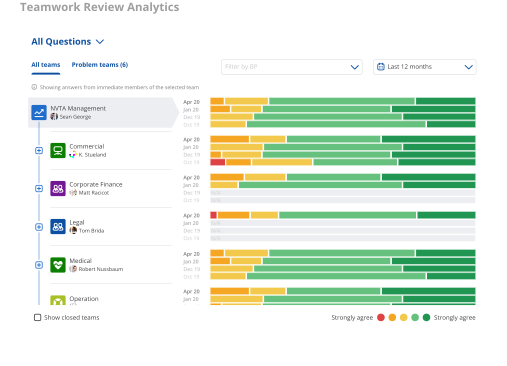
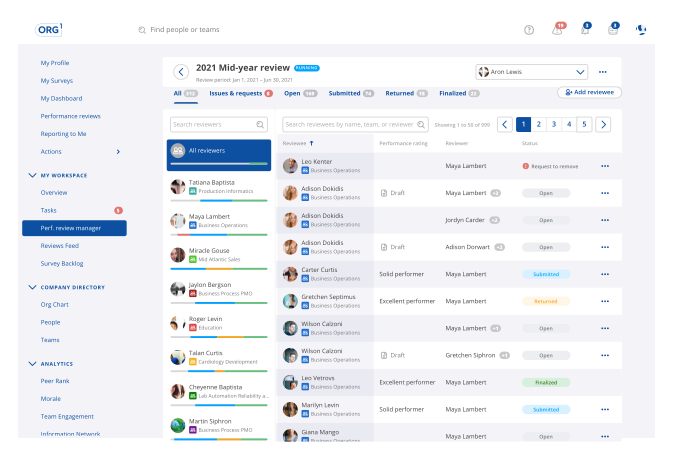
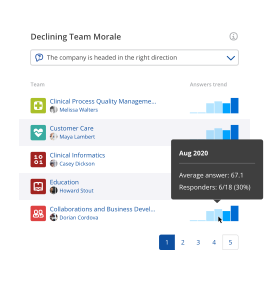
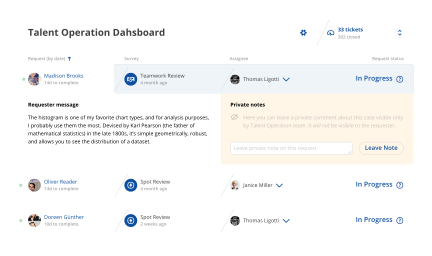
Some system modules implemented over the last year
One of the cases
For three years of work, many different problems have been solved, created new design system, but I would like to tell you about one that is a little out of the ordinary task. To increase the motivation of users and add a free positive, it was decided to introduce gamification in ORG1.
Gamification is the strategic attempt to enhance systems, services, organisations, and activities in order to create similar experiences to those experienced when playing games in order to motivate and engage users.


There are different elements that can influence the way how people interact with a application like rewards, quizzes, badges, virtual goods, leaderboards, and progress displays. Most of them we used in our gamification system.
But first, let's figure out what tasks we want to solve with the help of gamification
What goals are we pursued in gamification?
ORG1 users filled out the surveys in time
ORG1 users filled out the surveys well (qualitatively)
We want to encourage free positive (praises and thanks)
We want to encourage the completion of the profile
ORG1 users filled out the surveys well (qualitatively)
We want to encourage free positive (praises and thanks)
We want to encourage the completion of the profile

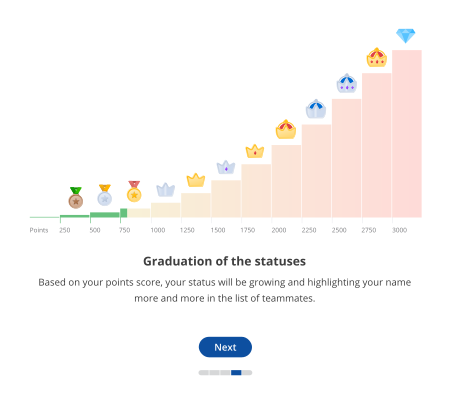
We know what some users of the ORG1 working with the system more responsible than others and would be great to highlight them somehow and show all others users how much they are responsible in their work (and stimulate the rest users to do so).
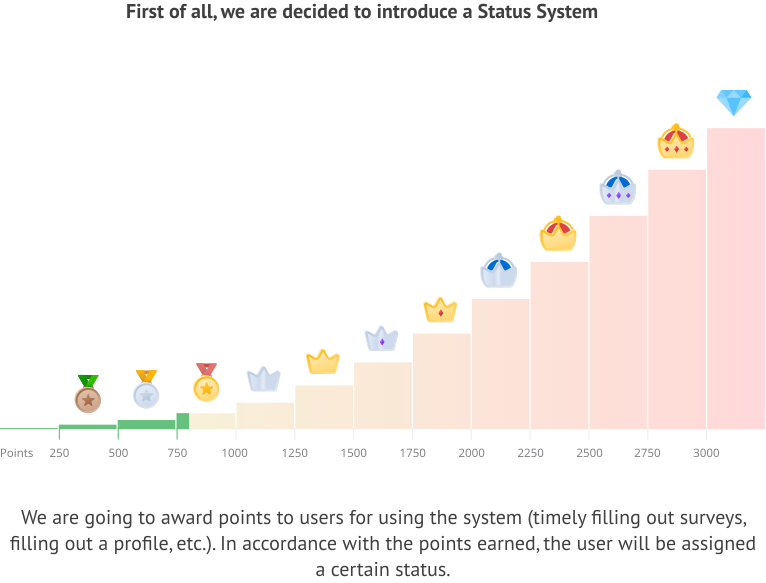
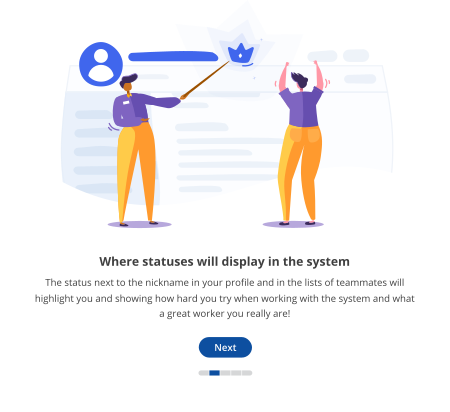
This statuses will be displayed near the users avatars across the whole system
We thought that the statuses should not be too large (but only highlight a little from the general list), so as not to distract from working with the system and clutter up the interface.
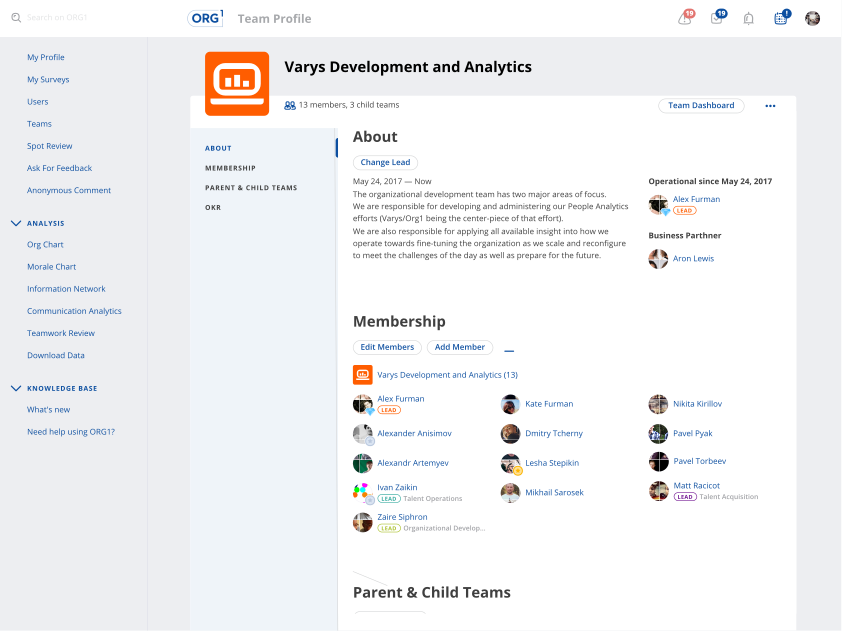
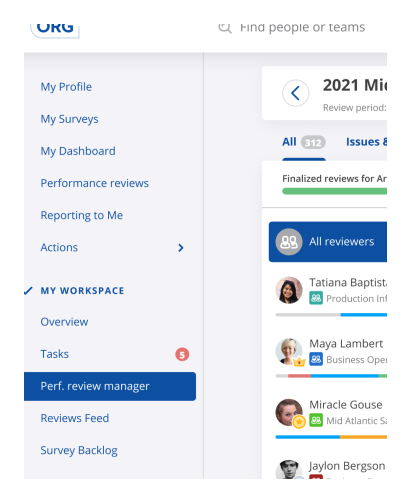
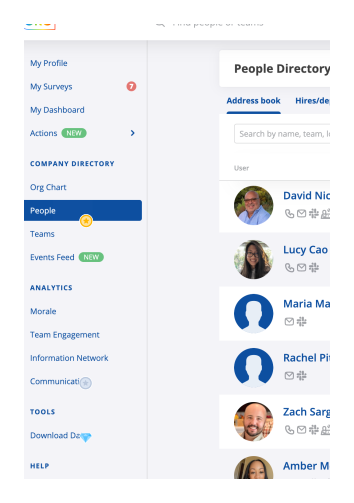
Places where we are going to apply gamification
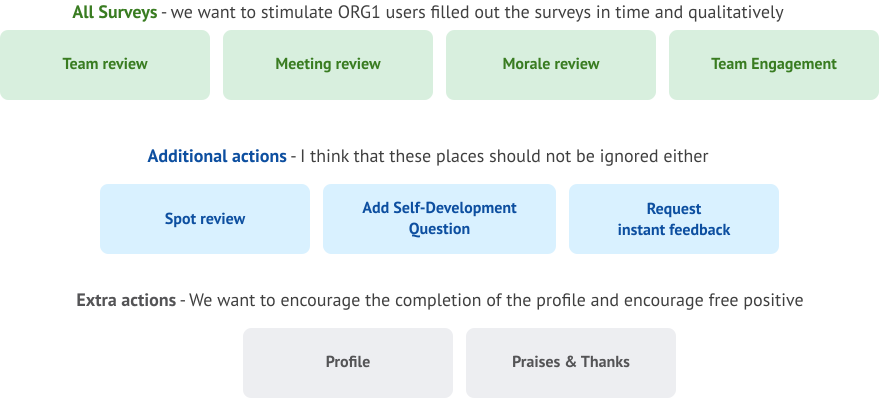
How all of this is working?
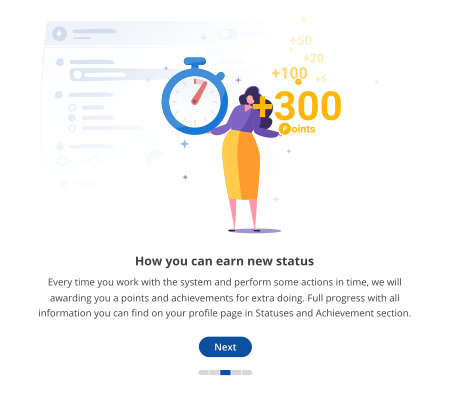
Every time a user interacts with the system and performs any actions (fills in surveys on time, fills out his profile, write a review, praises and thanks his teammates), we will reward him with points and achievements for outstanding actions.
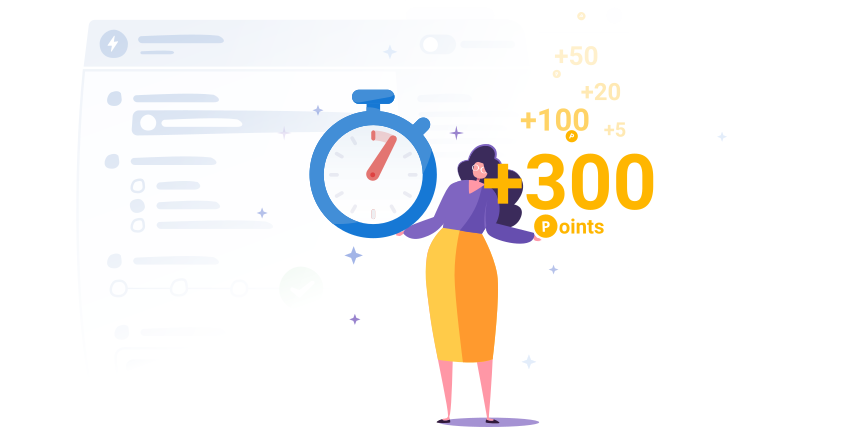
Scoring system based on the example of Surveys

Achievements system
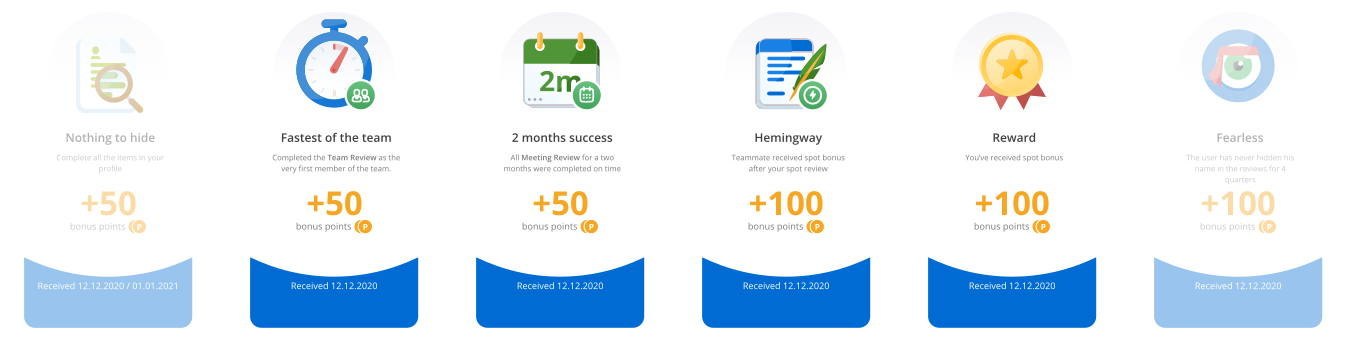
Also, for greater stimulation and user engagement, we decided to introduce a system of achievements that the user will receive for outstanding actions (such as: several times in a row while filling out a survey)
Example of Achievements for outstanding actions
Achievements and Statuses section on User Profile page
We have added a new section on the profile page in which all information on achievements and statuses is aggregated, on which he can see not only his progress, but also see what he still has to strive for.
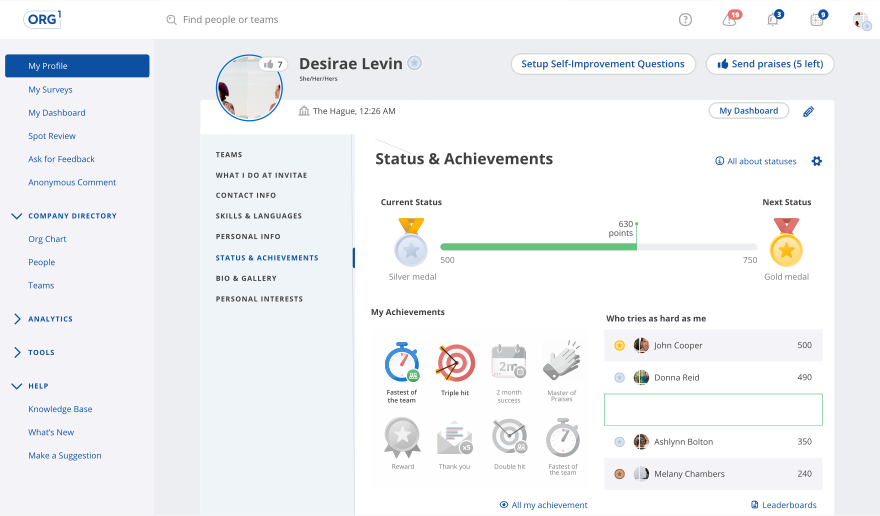
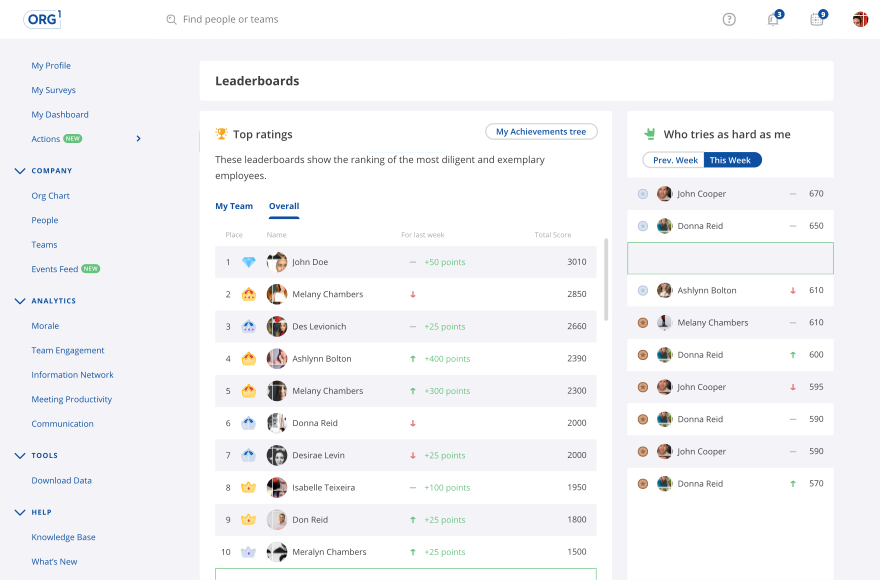
Leaderboards
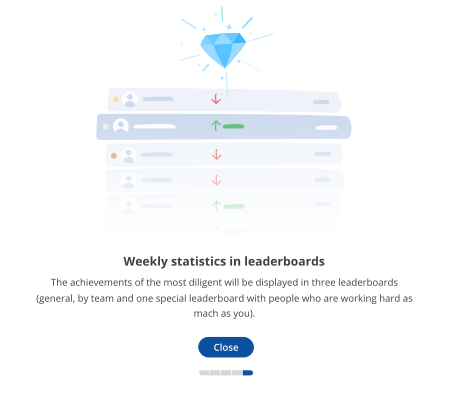
Most people love to compete and we decided not to miss this opportunity to promote gamification and achieve our goals.
Achievements Tree
Also, for greater clarity of the progress of obtaining achievements, we have introduced an achievement tree. Most users believed that they were very responsible in filling out surveys and working with the system as a whole, but after seeing their real progress on the achievement tree, a lot of nuances were revealed where they did not pay as much attention to working with the system as they initially thought.
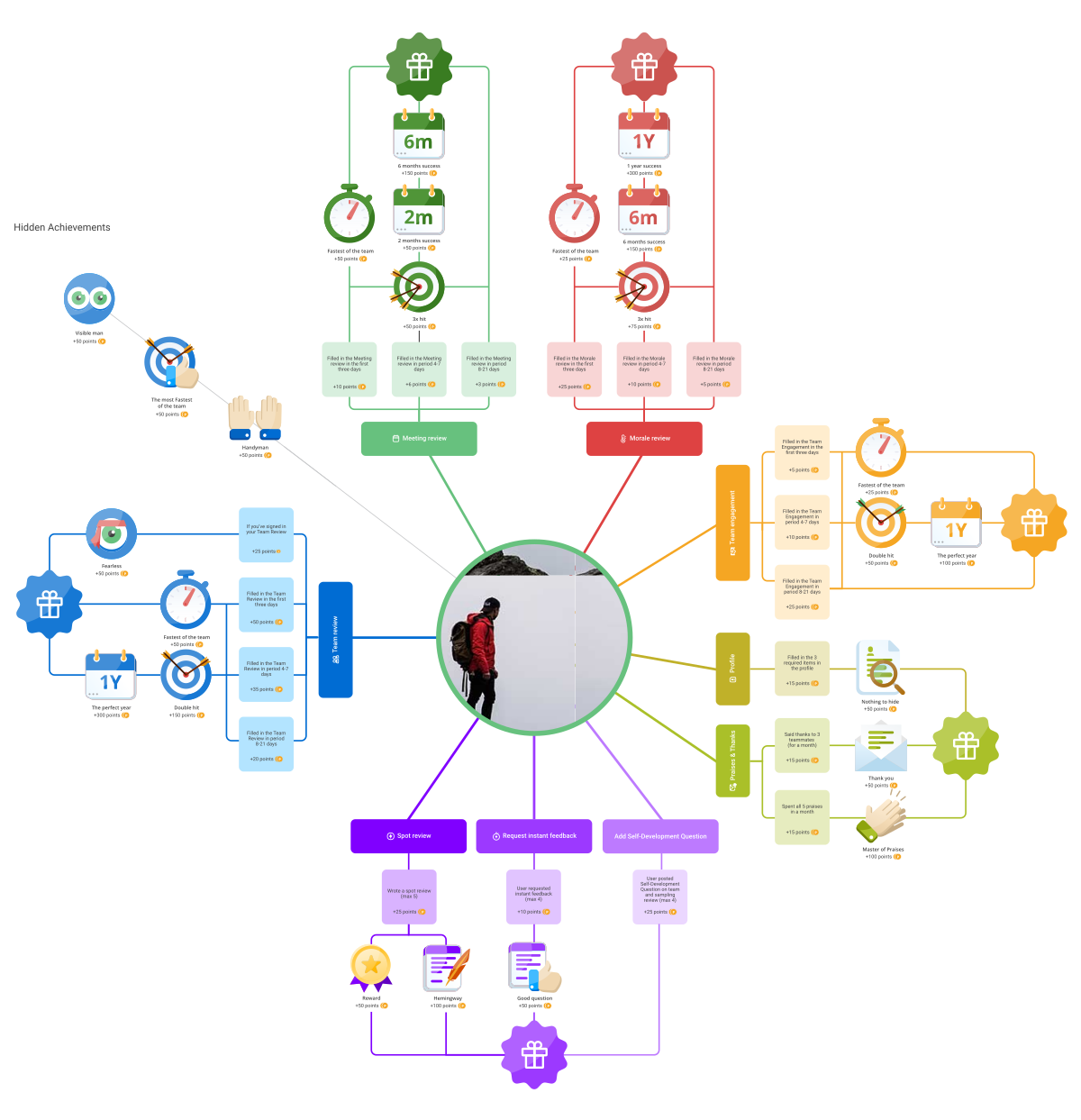
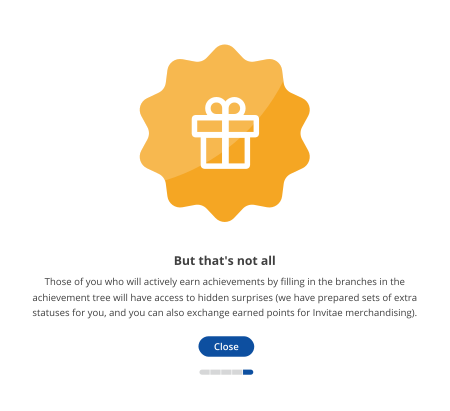
In addition to the usual achievements, we also provided for hidden ones, to make users more interested in interacting with the system in the most diverse ways, discovering all the new achievements
Scoring
Then I finally registered all the points, checked them on existing users and made sure that the accrual system is working correctly.

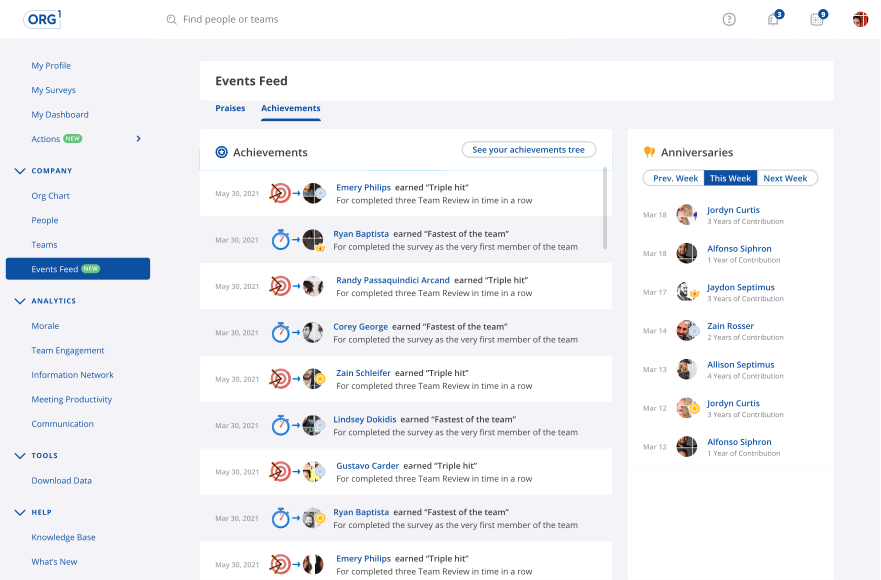
Events Feed
We have updated the events feed page and added notifications about new achievements received by users.
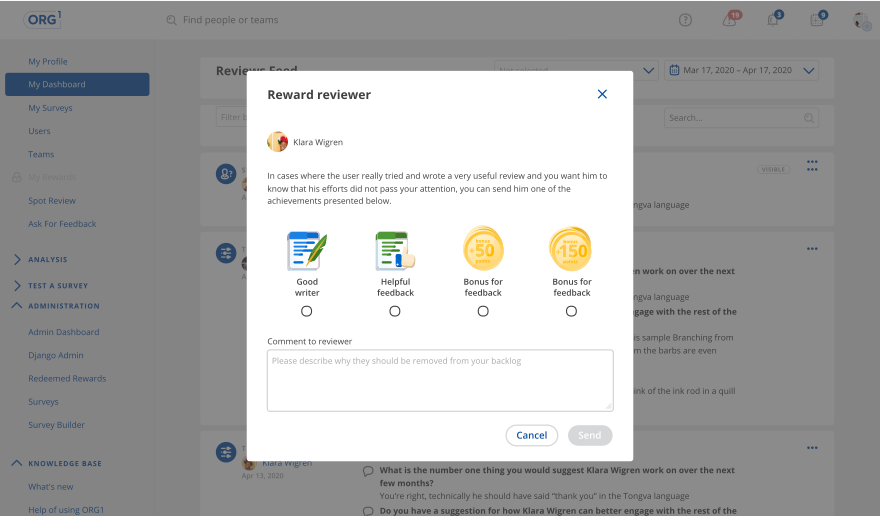
Rewards from Talent Operations
So that the system does not look like a simple machine, we decided to add feedback functionality from the higher management (by means of extra achievements or additional bonuses with accompanying text from the manager)
Notification system
The notification system is one of the most difficult places, as it might seem initially (from a programming point of view, it was necessary to think over and program not just notifications that are shown when the user logs in to the system, but also to think over the complex mechanics of predictive notifications that predict the likely progress of the user and provide relevant information to help the user develop their skill tree more and more intensively).
Snackbars provide brief messages about points and achievements at the top of the screen.
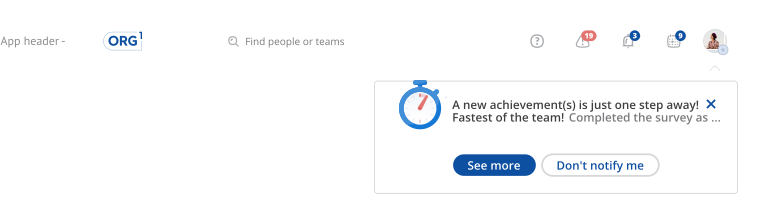
If the user clicks on the more button he will see more detailed information.
This is done so as not to distract the user from the workflow and he could view detailed information only at his request.
This is done so as not to distract the user from the workflow and he could view detailed information only at his request.
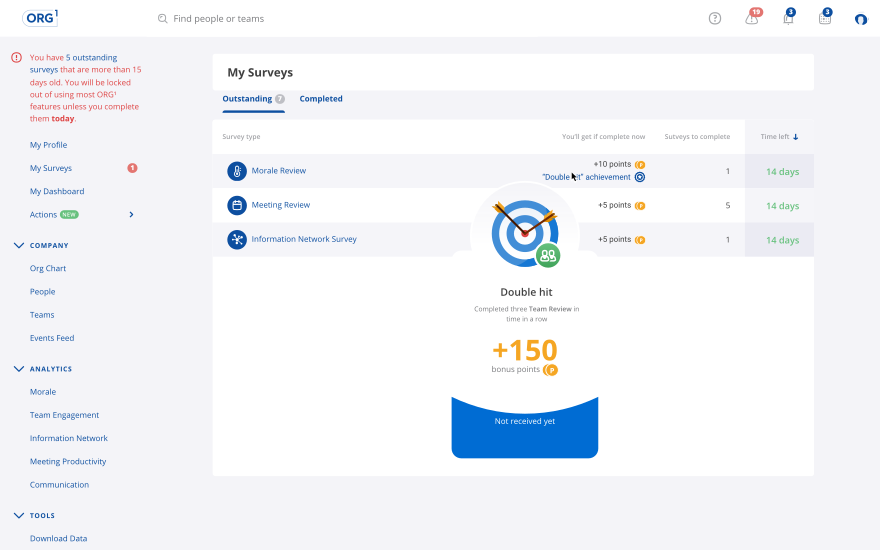
We also added hints (about possible points and achievements) to the list of surveys.
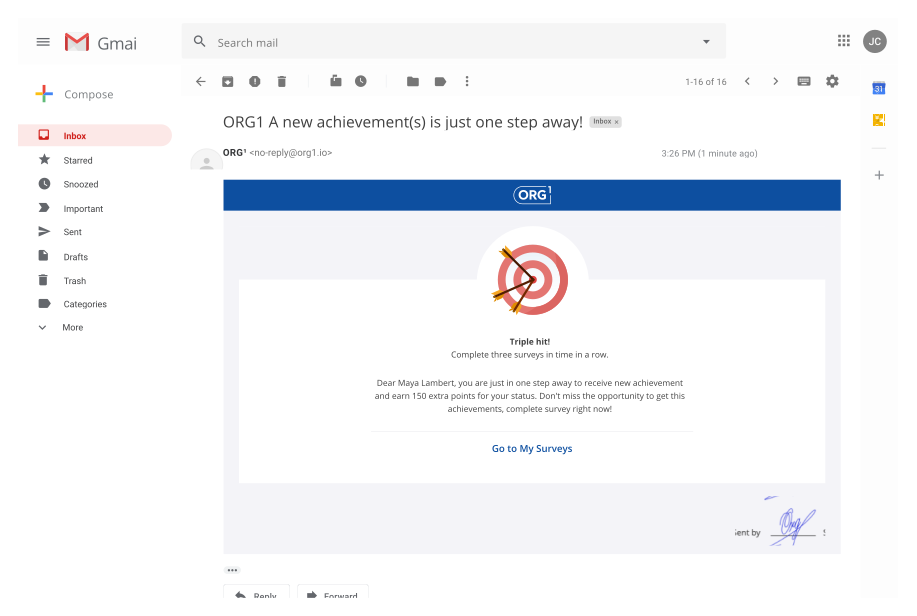
We also duplicated most of the system notifications on the email
Notifications about upcoming achievements and points.
Updating the digest about surveys.
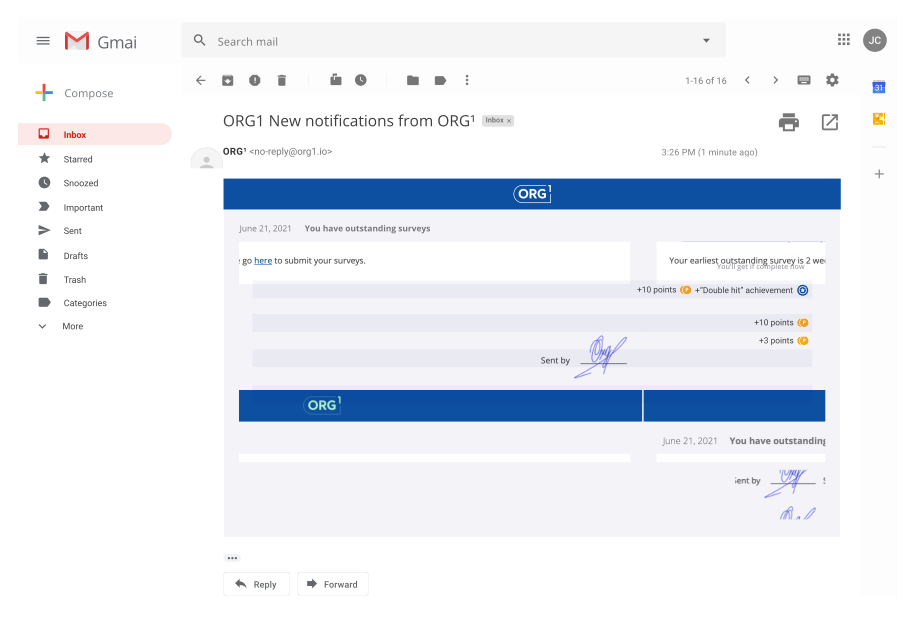
In addition to basic notifications, a leaderboard is also sent to the mail with users who are next to you in the rating.

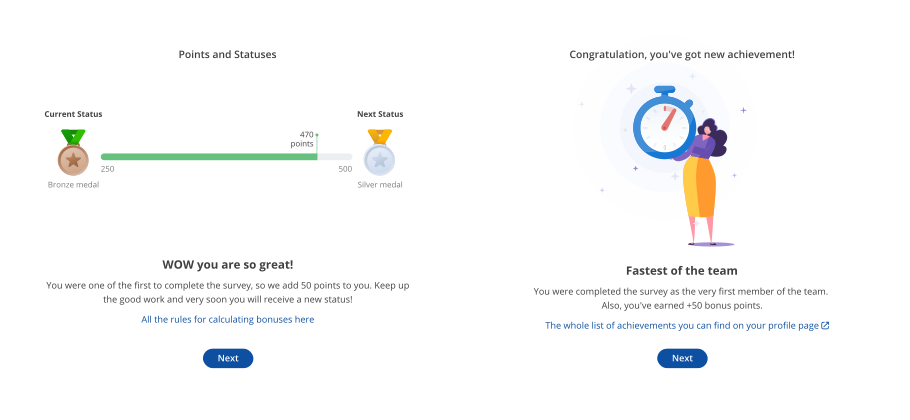
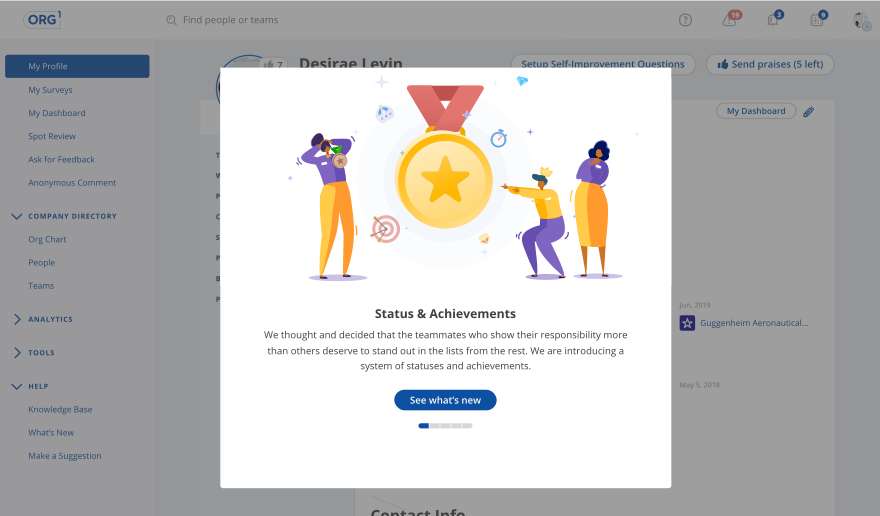
Information slides
A series of feature launch slides with a short explanation of key points.
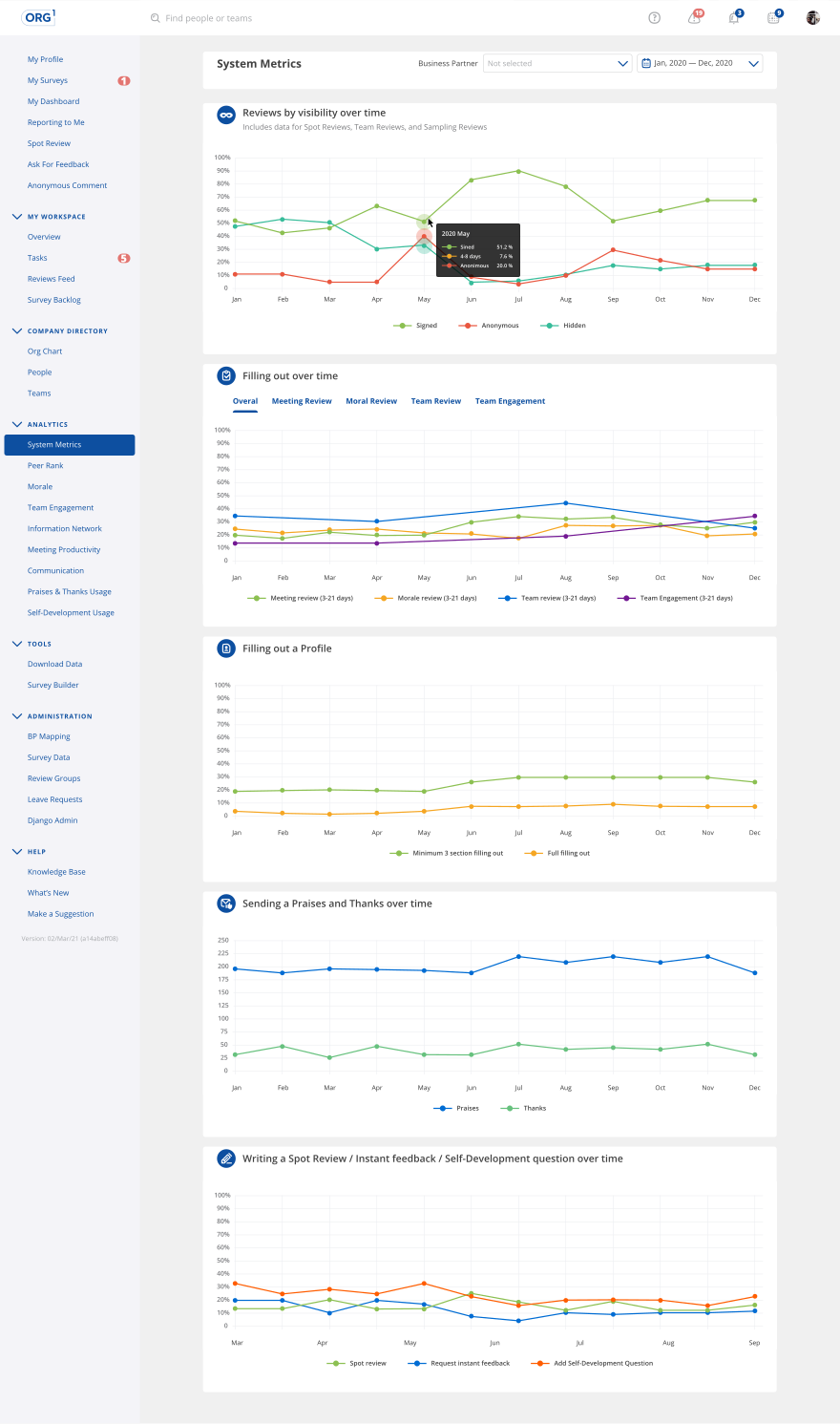
And, of course, developing gamification for a product that collects and analyzes data, we could not ignore the collection of statistics and look at the trends.
System metrics
Dashboard with data for past periods and current changes of indicators.
Conclusion
The completion of this task brought a lot of positive from everyone who watched the process, it was really amazing how people directly involved in the process are waiting for this feature. Unfortunately, not much time has passed for collecting data, but personally I have no doubts about the result!
